Short answer
How can you reduce packaging color differences?
Choose the paper and print process before approving the color. Flag sensitive purple, brown, dark green, and gray areas, separate small black details from large black backgrounds, and review a suitable physical proof with the final finish. For important brand colors, agree a reference and acceptance criteria with the supplier. A CMYK number alone cannot describe the appearance on every paper, press, and coating.
1. Why screen color and printed color differ
A screen makes color with emitted red, green, and blue light. Packaging normally uses inks on a surface that reflects light. Converting an RGB design into a printable color space can change colors that the selected printing condition cannot reproduce. Bright screen colors therefore need particular attention before production.
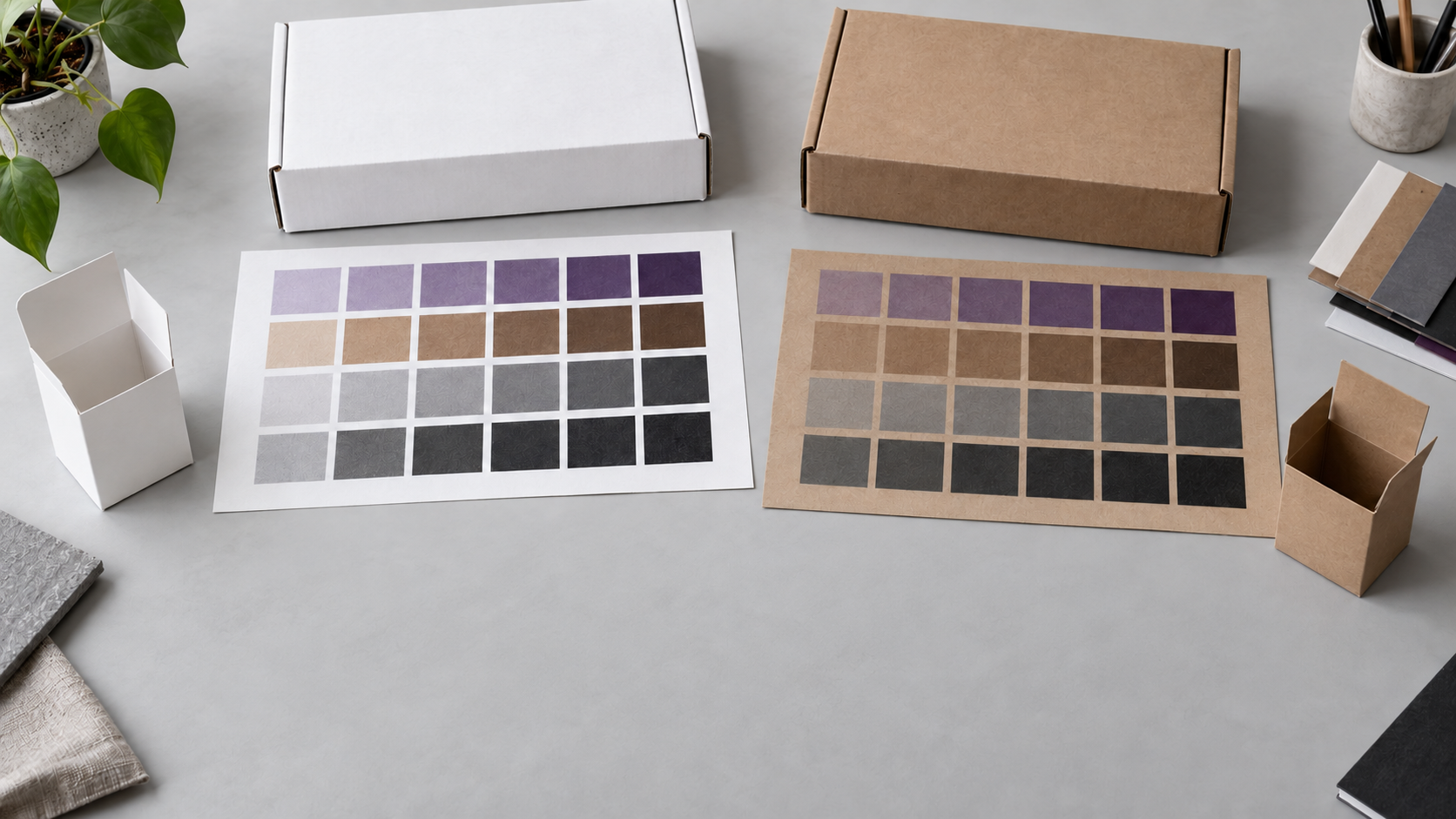
The same artwork can also look different on coated white card, uncoated paper, brown kraft, or thin tissue. Paper shade, surface texture, ink absorption, and the finish change the visible result. Matte and gloss finishes can affect perceived contrast and saturation, so review the finished construction rather than an unfinished sheet alone.
A color-managed screen preview can help identify problems, but monitor brightness and the viewing environment still matter. Phone photos and messaging-app images are useful for discussing a sample; they are a weak final reference for precise color approval.
2. Purple, brown, and dark green: watch the balance of mixed inks
Purple, coffee brown, dark green, gray, and black artwork can all warrant a closer color check. These colors are printable, but some designs leave less room for a visible shift than others.
In process printing, many purples rely heavily on the balance between cyan and magenta. A change in that balance can make the result appear bluer or redder. Browns can combine several process channels, so shifts may make a warm brown look redder, greener, darker, or duller than intended. Large flat areas can make differences easier to notice.
Dark green is another color Papyrn buyers often need to check carefully. When it is built from several process inks, a change in balance can move it toward blue-green or yellow-green. Changes in ink density, paper shade, and finish can also affect its depth, so a dark green that looks rich on screen may print duller or closer to black on the chosen stock. Compare the intended shade on the actual white card or kraft paper and review large solid areas under consistent light.
A CMYK recipe copied from another project is only a starting point. Its appearance depends on the profile, printing condition, stock, and finish. Identify the purple, brown, or dark green areas that matter most, ask the factory to review the artwork, and approve a suitable sample. If a solid brand color is particularly important, ask whether a specified spot ink is practical for the quantity and production method.
3. Neutral gray: small imbalances can become visible
A gray made from several process inks depends on their relative balance. When that balance changes, a nominally neutral gray may acquire a red, green, yellow, or blue cast. This can be especially noticeable across broad backgrounds or when the print sits next to a neutral reference.
For suitable neutral graphics, black-only gray can reduce the number of color channels involved. It still depends on screening, ink, paper, and the press, and it may have a different texture or density from a composite gray. Photographs and deliberately warm or cool grays can need a different approach.
Ask the supplier which gray construction suits the artwork. For a critical flat gray, compare a controlled process build with a spot-ink option where available. Judge the result on the selected paper and finish, using agreed viewing conditions.
4. Small black details and large black backgrounds need different decisions
Small text, fine lines, barcodes, and QR codes
When fine black detail is built from several process inks, even a small registration error can create colored edges or reduce sharpness. In conventional CMYK artwork, keeping suitable small black elements on the black separation alone, commonly C0 M0 Y0 K100, reduces that registration risk. Confirm how the production workflow will preserve those elements.
Codes also need enough contrast, the correct size, and clear space around them. Check the actual printed barcode or QR code after the final finish, on the intended surface. A successful phone scan of a PDF is not a production test; retail barcodes may also need formal verification for the intended application. Ask the printer to review overprint and knockout settings, particularly where black details sit on colored artwork.
Large solid black areas
Black ink alone may look less dense than the intended large black background under some print conditions. A printer may propose a rich black that adds other process inks to the black channel. The appropriate build depends on the stock, press, ink limits, drying, and the desired appearance.
Do not apply a large-area rich-black mix to every small black element. Avoid copying a universal recipe or using 100% of all four process channels across the background. Excessive ink can create drying, marking, or handling problems. Ask for the production team's recommended build and review the solid area on a finished sample.
5. White card and brown kraft are different color foundations
Unprinted mailer boxes commonly show the natural brown of kraft paper. Black stock is an option for some projects, but it is a separate material choice. For printed mailer boxes, the main decision is often between printing on a white-card face and printing directly on brown kraft.
In Papyrn's usual white-card printed mailer-box construction, lamination is normally required to help reduce cracking at folds. Confirm the paper, grain, scoring, and finish together, and check a folded sample. The laminated result is the relevant color reference for that construction.
Brown kraft printing does not normally require lamination in the same way, but the stock already has a brown base color. Light designs printed with translucent inks can be strongly affected by that base. Dark artwork often shows less visible interference, although it also needs review on the actual stock.
Where the chosen process supports it, a white-ink underprint can create a lighter foundation before the design colors are applied. This adds production cost, and the final appearance depends on white opacity, coverage, and alignment. Compare it with adapting the artwork or choosing a white printable face. See the unprinted vs printed mailer-box guide for the wider construction comparison.
6. Matching a box, tissue, and card takes separate samples
Even white papers have different base shades. A warm natural white and a cooler bright white can change the impression of the same ink. Uncoated and coated stocks also interact with ink differently. Changing the paper supplier or stock can therefore require a fresh color check.
A coordinated packaging set may use a corrugated mailer, a printed card, and translucent tissue. Sending the same CMYK values for all three does not ensure identical results. Decide whether you need a close visual match or a coordinated family of shades, then review the items side by side under the same light.
For custom tissue paper, the paper color, thinness, underlying product, and number of layers can all affect the impression. Review the actual wrapped presentation as well as the flat sheet. For insert cards and stickers, check the selected stock or label material and its final finish.
7. Choose proofing effort around the risk
Confirm stock, process, file preparation, and finish. Use the sample method that can answer the remaining questions, and agree how much variation is acceptable.
Review representative printed samples on the intended materials with the final finish. Compare sensitive areas and the complete set before approval.
Agree the physical reference, relevant color specification, viewing conditions, and acceptance criteria. Assess spot ink and a representative production proof with the supplier.
A digital sample is useful for artwork placement, but it may use a different printer, ink, or material from the production run. A blank sample checks fit and construction rather than color. Ask what the offered proof represents and what it cannot confirm. The packaging sample guide explains these choices.
Spot ink can help reproduce a specified solid color without relying on a multi-ink CMYK build. It still interacts with the substrate and finish, and adds process or setup requirements. Neither a spot-color name nor an approved sample is a promise of zero variation; agree a workable standard for the actual job.
Before production: a color approval checklist
- Identify the critical brand colors and large purple, brown, dark green, gray, or black areas.
- Confirm the exact printable stock, base shade, and final coating or lamination.
- Confirm CMYK, spot ink, and any white-ink underprint with the supplier.
- Ask the prepress team to check small black details, ink coverage, and overprint settings.
- Choose a sample that represents the color decision you need to make.
- Compare the finished items under the same agreed light; test printed codes.
- Record the approved sample, artwork version, and agreed acceptance criteria.
- Review color again if the material, finish, print method, or supplier changes.
For a repeat order, keep an identified approved sample in suitable storage and confirm whether it remains the current reference. Share the final artwork and reference before production begins. See the packaging artwork file guide for file preparation.
Further reading
Adobe explains hard-proof settings and simulated paper color and color conversion and ink management. For retail barcode color and print planning, consult GS1's barcode implementation guide. Confirm job-specific settings with the production team.
Updated October 13, 2026. Recommendations depend on the artwork, material, print method, and finish. White-card lamination and kraft-printing notes describe Papyrn's usual mailer-box production approach. Agree samples and acceptance criteria for each order. The hero image is illustrative.
FAQ
Packaging print color questions
Why does my printed packaging look different from my screen?
Screens emit light, while printed packaging reflects light from ink and paper. Color conversion, the printing condition, paper base shade, coating or lamination, and viewing light all affect the result. A screen preview helps review artwork, but a suitable physical proof is needed to approve critical print color.
Are purple and brown difficult to print?
They can be sensitive when built from several CMYK channels because changes in the balance can alter the hue. The risk depends on the artwork and printing conditions. Ask the supplier to review critical areas, proof the selected stock and finish, and assess spot ink if a brand color needs tighter control.
Why can dark green packaging print with a different shade?
A dark green built from multiple process inks can shift toward blue-green or yellow-green when the ink balance changes. Its depth can also change on different papers or under different finishes. Share an approved color reference and review a printed sample on the selected stock, especially for large solid areas or repeat orders.
Should gray packaging use black ink only?
Black-only gray can reduce color-balance and registration variables for suitable neutral artwork, but its appearance depends on screening, ink, paper, and the press. Some gray designs need a controlled process mix or a spot ink. Choose the method with the printer and approve the actual result.
Should small black text and barcodes use rich black?
In conventional CMYK print preparation, small black text, fine lines, and barcode elements are usually better kept on one black separation, commonly C0 M0 Y0 K100, rather than built from several process inks. Confirm the production method, contrast, size, and clear space with the supplier, then test the finished printed code.
Can light colors be printed on brown kraft paper?
Yes, but the brown paper base can change how light or translucent ink appears. Options include adapting the artwork, choosing a white printable surface, or adding a white-ink underprint where the process supports it. White ink adds cost and needs a sample to confirm opacity, alignment, and final color.
Does Pantone or spot-color printing guarantee no color difference?
No. A specified spot ink can reduce dependence on a multi-ink CMYK build for a critical color, but the substrate, ink film, finish, process, and viewing conditions still affect appearance. Agree the color reference, sample conditions, and acceptance criteria with the supplier.